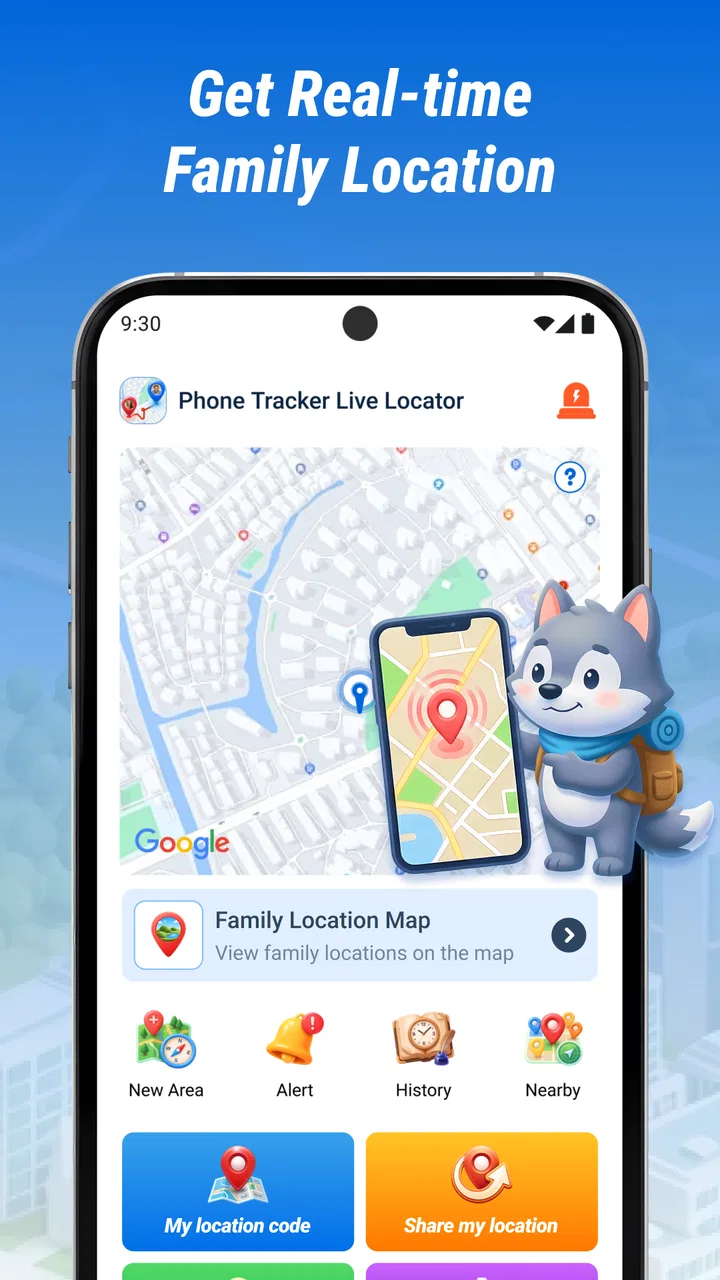
Phone Tracker Live Locator
- 3.8
- Rating
- 1.00M
- Installs
- Free
- Price

 Analysis by App-foxy
I approached Phone Tracker Live Locator as a practical location-sharing tool rather than a full navigation suite. Its purpose is straightforward: help you track and share a phone’s position in real time. That narrow focus is important, because the app makes more sense when you judge it as a quick locator for everyday coordination, not as a replacement for a complete mapping platform.
In my experience, the most useful apps in this category are the ones that remove a small but recurring annoyance. Someone is late, a family member wants to know when you are arriving, or a group needs to keep track of one moving person during an outing. A phone tracker can make those situations easier, but only when everyone understands what it does, how to start sharing, and when to stop. This app is aimed at that simple workflow.
How I would use Phone Tracker Live Locator in everyday life
The basic routine is easy to understand. I would open the app when I need to share my current whereabouts, begin the location-sharing process, and then make sure the intended person can use the resulting information. The important habit is to treat each session as deliberate rather than leaving location sharing running without thinking about it.
You May Also Like

 Pandora - Music & Podcasts
Pandora’s Music Is Easy to Start, but Harder to Recover
Pandora’s strength is its low-effort path from a seed to a station. Its weak spot is how much confidence it asks you to place in connection, setup, and quiet recovery.

 8 Ball Pool
 Is Built on Rivalries, Rematches, and Routine
A close look at the rivalries, rematches, shared routines, and unanswered safety questions that turn a quick pool match into a persistent mobile community.

 Samsung Music
’s Quiet Strength Is Playing What You Already Own
Its reach comes less from spectacle than from dependable access to a personal library. That simplicity is both the app’s strongest retention engine and its ceiling.

 AccuWeather: Weather Radar
AccuWeather Review: A Quick, Clear Forecast for Everyday Decisions
For everyday plans, the best forecast is the one you can understand quickly. AccuWeather makes rain timing, radar, and local conditions easy to act on, with a few trade-offs.

 Hill Climb Racing
Why Hill Climb Racing Still Turns Crashes Into One More Run
A tiny car, a bumpy hill and one more upgrade: Hill Climb Racing keeps resurfacing because its simple chaos makes every near-miss feel personal.

 AliExpress - Shopping App
AliExpress Makes Global Shopping Feel Personal, but Shoppers Bear the Risk
AliExpress turns a global marketplace into a pocket-sized discovery engine. Its reach is useful, its shopping loop compelling, and its trade-offs easy to miss.
More From Our News Desk
View All News


That approach works well for a realistic scenario such as meeting a friend at a busy venue. Instead of sending several messages describing which entrance I am near, I can use a live location tool to show where I am moving. The other person can check the position while walking toward me, and I can concentrate on getting there rather than repeatedly typing updates.
It can also help during a long drive when one person wants to follow progress. I would start sharing before leaving, tell the recipient what to expect, and use messages for anything the map cannot explain, such as a fuel stop or a change of route. A live locator is useful for movement, but it does not replace communication about plans.
The app is free, which lowers the barrier for trying it in a household or small group. It is also listed for everyone, so its intended audience is broad. Even so, I would still explain the privacy side to younger users and make sure they understand who can see a location and for how long. A simple tool can still reveal sensitive information if it is used casually.
The developer shown for the app is ELIZABETH ANN BURDEN. The current release is version 1.1.0.0, and it supports devices running Android 7.0 or later. Those details matter if you are installing it on an older phone: compatibility is not the same as a guarantee of a smooth experience, especially on hardware with limited battery life or older location performance.
The first setup habit I recommend
Before relying on the app for an important meeting, I would run a short test with a trusted person. Start a location session, confirm that the recipient can actually view it, walk a small distance, and then end the session. This catches the most common practical problem with tracking tools: the sender assumes the link or view is working while the recipient is looking at stale or incomplete information.
I would also agree on a backup message. For example, if the location stops updating, the recipient should know whether to call, send a text, or wait at a previously agreed place. That is not a criticism unique to this app; it is simply good practice whenever a phone becomes part of a safety or meeting plan.
The strongest workflow is not “share and forget”; it is share, verify, communicate, and stop. That sequence makes the app more dependable without pretending that live location is infallible.
Settings and phone habits worth checking
Location apps depend heavily on the phone around them. I would check the device’s location setting before starting a session, then look at the app’s permission status if the position does not appear correctly. On Android, permission choices can affect whether an app can access location only while it is open or under broader circumstances. The exact choices vary by device, so I would read the wording on the phone instead of accepting every prompt automatically.
Battery management is another practical consideration. Some phones restrict background activity to extend battery life, and that can interfere with an app that needs to keep updating while the screen is off or while the user switches to another application. If the location seems to freeze, I would check the phone’s battery or background-activity controls before assuming the app itself has failed.
Connectivity deserves the same attention. A tracker cannot communicate a fresh position when the phone has no usable data connection. In a crowded event, underground station, rural road, or weak-signal building, updates may arrive late. I would never use a live locator as the only safety plan in those conditions.
There is also a privacy setting that is really a personal habit: decide in advance who should receive your location. I would avoid sending it to a large group simply because that is convenient. A smaller audience is easier to manage, and it reduces the chance that a location is forwarded beyond the people who need it.
For families, I would create a clear rule about when tracking is appropriate. A child traveling home, a relative arriving late, or a planned group activity are understandable use cases. Continuous monitoring without an agreed purpose is different and can damage trust. The app can support coordination, but it cannot solve a relationship problem through technology.
Shortcuts that make repeated use less awkward
People who use a tracker regularly usually benefit from a repeatable starting routine. I would keep the app easy to reach, decide on a standard message explaining why I am sharing, and use the same end-of-session habit every time. This reduces the chance of opening the app in a hurry and forgetting what was shared.
A useful pattern is to start tracking at a natural transition point: when leaving home, entering a taxi, beginning a hike, or walking from a station. Starting too early creates unnecessary location history in the recipient’s view and can make the session harder to interpret. Starting too late means the person waiting for you receives no useful progress.
Another good habit is to send context alongside the location. “I am walking from the north entrance” is more helpful than a silent map marker. If I change direction, stop for coffee, or take a different route, I would say so. The tracker shows movement; a short message explains intent.
For a recurring journey, I would not assume that one setup will remain perfect forever. Phones change, permissions are adjusted, batteries run low, and recipients may switch devices. A quick check before an important trip is more reliable than discovering a problem after someone has been waiting.
The app’s store rating is around 3.7 from roughly two hundred ratings, with a small number of written reviews. I read that as a sign to keep expectations measured. There is enough public activity to show that people are trying it, but not enough written commentary to treat the app as universally proven for every situation. My recommendation would therefore depend on whether you want a focused tracker or a larger location ecosystem.
Where it fits beside familiar alternatives
Compared with a normal map application, Phone Tracker Live Locator is more focused on the act of sharing a live position than on planning a journey. A full map app is usually the better choice when I need turn-by-turn directions, business information, traffic context, saved places, or broader route planning. I would use this app when the main question is simply, “Where is this phone right now?”
Compared with built-in family-location tools, the trade-off is familiarity. People may already know how to share a position through a messaging service or an account-based platform. Those alternatives can be more convenient when everyone is already inside the same ecosystem. A dedicated tracker may feel cleaner for a specific one-off purpose, but it still requires the people involved to understand its sharing flow.
Compared with a safety-focused service, this app should not automatically be treated as an emergency product. A live location view can help someone find you, yet that is not the same as emergency dispatch, automatic incident detection, medical support, or a guaranteed response. For hiking alone, traveling in remote areas, or managing a serious safety concern, I would choose a service designed around those needs and keep this app as a secondary convenience.
Limits that experienced users should accept
The biggest limitation is that real-time tracking is only as current as the phone’s location reading, connection, power, and app behavior. A marker on a screen can look precise while still being delayed. I would avoid interpreting a stationary marker as proof that a person is safe, available, or physically at a particular doorway.
Privacy is another trade-off. Sharing a location is useful because it exposes movement. Before starting, I would ask whether the recipient needs a live view or whether a single arrival message would be enough. For many errands, a text saying “I am here” is more private and just as effective.
Battery use can also become a concern during long sessions. I would start with a reasonably charged phone, carry a power bank for extended travel, and end tracking once the practical need is over. This is especially important when the phone is also being used for calls, navigation, photos, or mobile payments.
I would skip this app if I wanted a complete travel companion, a sophisticated family-management platform, or a formal emergency system. I would also avoid depending on it when a person cannot reliably operate their phone or when the recipient cannot check the shared location. In those circumstances, a phone call, an agreed meeting point, or a purpose-built service may be better.
People sometimes ask whether a free tracker is suitable for permanent monitoring. My answer is cautious: it may be convenient for planned sessions, but I would not turn convenience into an assumption of constant availability. A responsible routine includes a clear reason for sharing and a clear point at which sharing ends.
Another practical question is whether it works well on an older device. The minimum operating-system requirement is Android 7.0, so compatible older phones can install it, but performance will still depend on the phone’s hardware, battery condition, connection, and system restrictions. I would test it before using it for a journey, rather than judging compatibility from the operating-system number alone.
My verdict after looking at the complete workflow
I see Phone Tracker Live Locator as a focused, accessible option for people who need a straightforward way to share a moving phone’s location. Its free price and simple purpose make it appealing for occasional meetups, family coordination, and planned trips. I like that it does not need to be treated as a complicated navigation system to be useful.
At the same time, I would use it with realistic expectations. It is not a substitute for directions, emergency support, or thoughtful communication. The best results come from checking permissions and phone settings, testing the sharing flow, adding context in messages, watching battery and connectivity, and ending sessions promptly.
For someone who regularly asks friends or relatives to share their position, this is worth trying on a compatible Android phone. For someone already comfortable with a built-in location-sharing service, the benefit may be smaller unless this app’s focused workflow feels more convenient. My final view is positive but measured: Phone Tracker Live Locator is most useful when it supports a specific plan, not when it is expected to solve every location problem.
FAQs for Phone Tracker Live Locator
01How accurate is Phone Tracker Live Locator?
Phone Tracker Live Locator is designed to provide highly accurate location tracking using GPS technology. However, the accuracy can vary based on several factors, including the device's GPS signal strength, network connectivity, and environmental conditions like tall buildings or dense forests. For best results, ensure your device has a clear view of the sky and a stable internet connection.
02Is Phone Tracker Live Locator safe to use for tracking loved ones?
Yes, Phone Tracker Live Locator prioritizes user safety and privacy. It requires explicit consent from all parties involved in the tracking process. Users can easily manage permissions, and all data is encrypted to ensure protection from unauthorized access. Always ensure you have permission from the person you wish to track.
03Does Phone Tracker Live Locator work internationally?
Phone Tracker Live Locator can be used internationally as long as your device has internet access. The app relies on GPS and mobile data or Wi-Fi to update locations in real-time. Be aware of potential roaming charges if you are using mobile data in another country. Check your plan details with your provider.
04What are the subscription options available for Phone Tracker Live Locator?
Phone Tracker Live Locator offers both free and premium subscription options. The free version provides basic location tracking features, while the premium version includes advanced features such as location history, geofencing, and priority customer support. Subscription prices vary based on the duration, with monthly and yearly plans available.
05Can I track multiple devices with Phone Tracker Live Locator?
Yes, Phone Tracker Live Locator allows you to track multiple devices simultaneously. This feature is particularly useful for families or businesses looking to keep track of several members or employees. Each device must have the app installed and proper permissions granted. You can manage and view all tracked devices from a single dashboard.
Pros
- Real-time location updates are accurate.
- User-friendly interface for easy navigation.
- Low battery consumption during tracking.
- Cross-platform compatibility with Android and iOS.
- Customizable alerts for specific locations.
Cons
- Requires constant internet connection.
- Limited features in the free version.
- Privacy concerns with location sharing.
- Drains battery over extended use.
- Occasional lag in location updates.

Phone Tracker Live Locator
Gallery